Dynamic Pricing · HotelDesk's edge
Prices that think like a revenue manager
HotelDesk watches your bookings, the places your guests compare you with and what's on in town, then suggests the right price for every room type, every night, and says why. Approve it in one tap, with a fresh market check every week.
Included on every plan. Suggest & approve by default; nothing changes until you say so.
How it works
From your calendar to every channel, in four steps
- 1
It reads your bookings
How booked each room type is, night by night, and how fast it's filling compared with the usual pace for that far ahead. Every move starts from your own planned price: your base rate or your seasonal rates.
- 2
It checks your market
Once a week: your top five local places of your style in your price range, by name, with their review scores, usual and dated prices and sold-out nights. Plus the festivals, holidays and events that fill your town.
- 3
It suggests, you decide
A price per room type and run of nights, with its reason and the extra revenue it should bring. Approve one or all (it asks first), set your own price, or ask us to let it run automatically, always inside the limits you set.
- 4
Every channel, undoable
An applied price goes to your booking site and every connected OTA at once. Undo puts the old price and minimum stay back, everywhere.
Inside the module
One place for your prices, your market and your town
Your revenue manager, then every change
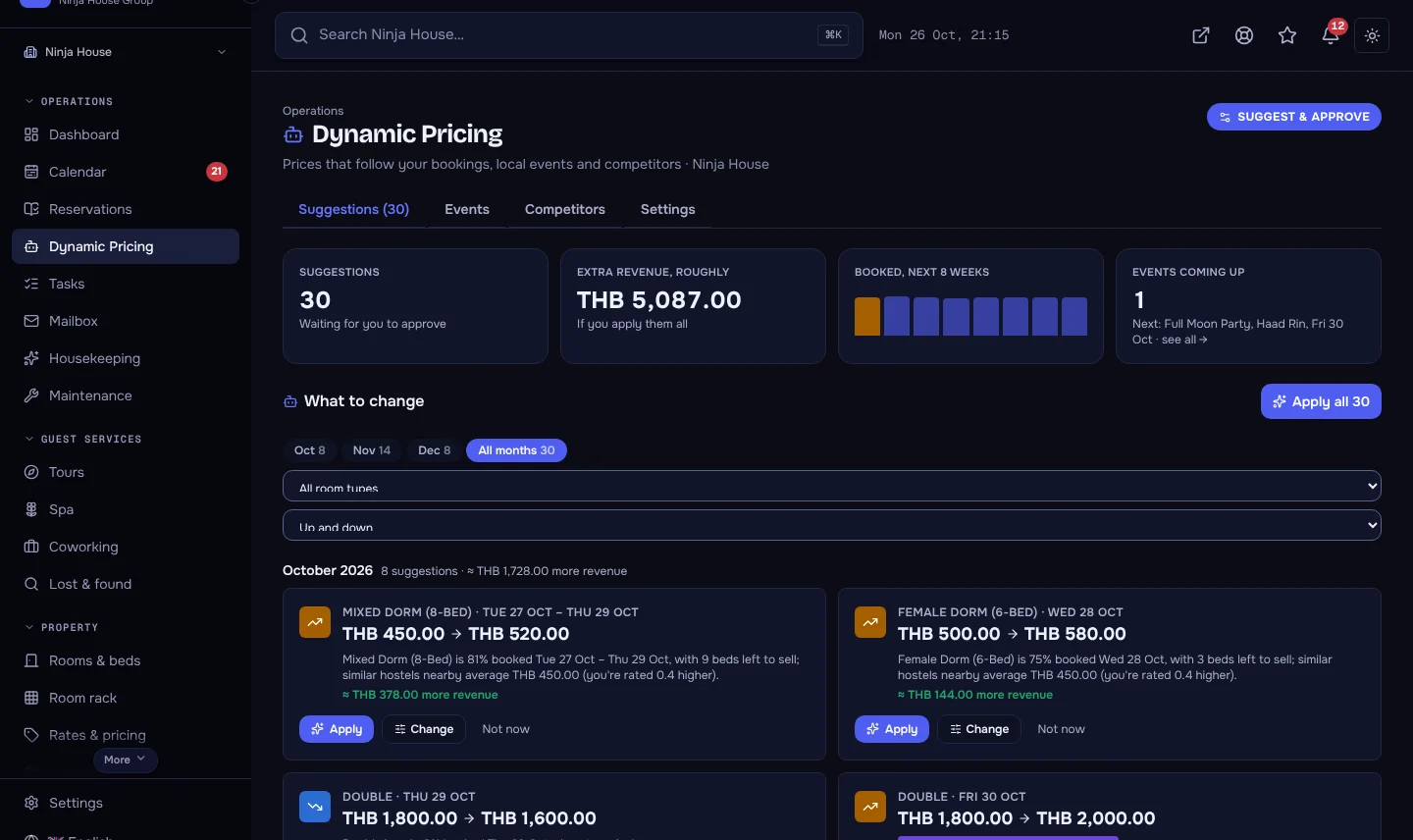
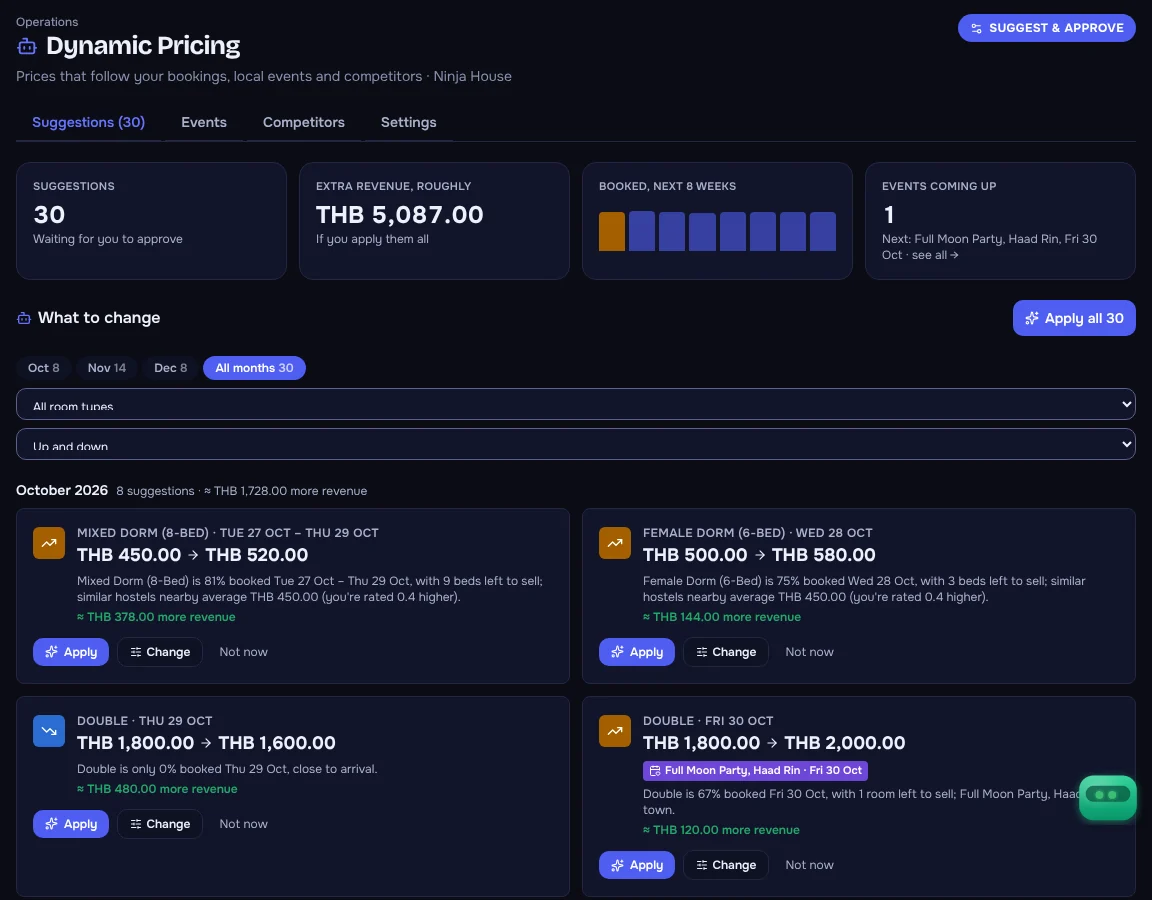
The top changes first, with the expected extra revenue and one-click approval. Then every suggestion by month: today's price, the new one, the % change and the reason in plain numbers. Filter by month, room type, price up or down, or event nights.
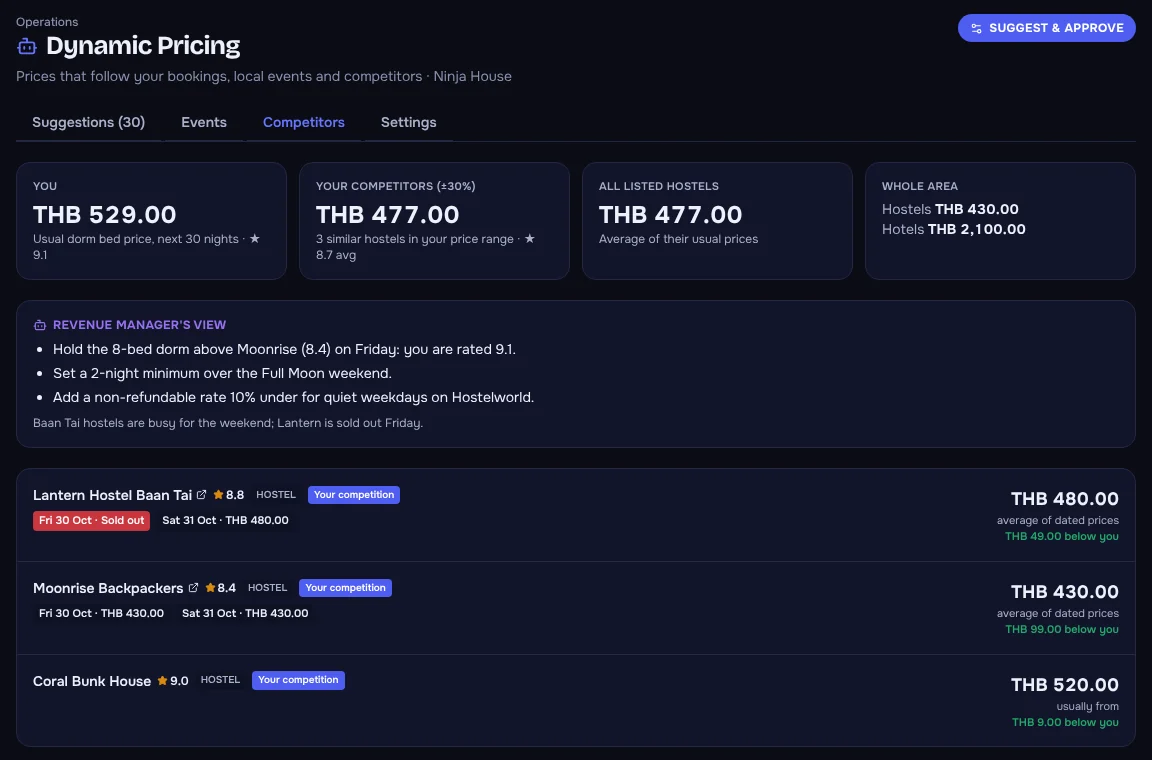
Your competitors, ranked
Where you stand in one line, then everyone ranked by HD Score: how likely a guest is to pick them, from rating, price and value. Each with a link to its listing, its score, its price and how much more or less than you it charges. See the price that climbs you a place.
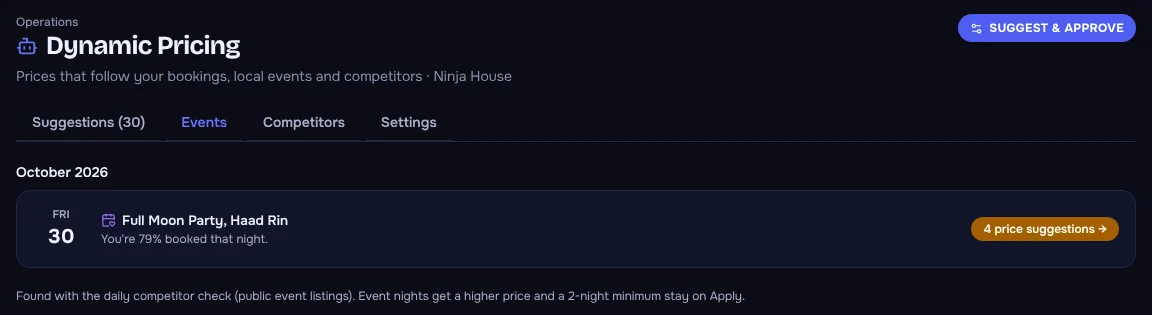
Events that fill the town
Festivals, holidays and big nights out, by month, with how booked you are and whether a price suggestion already covers them.
Approve your way
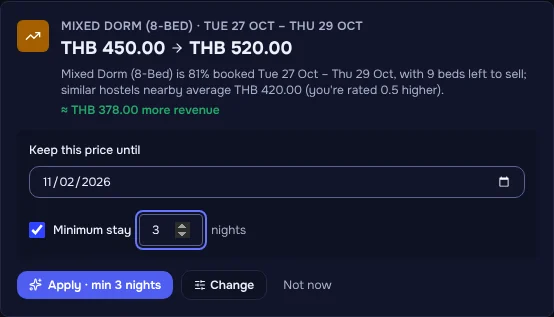
Set your own price, keep it until a date you choose, or add a minimum stay so a one-night booking doesn't block the busy nights either side.
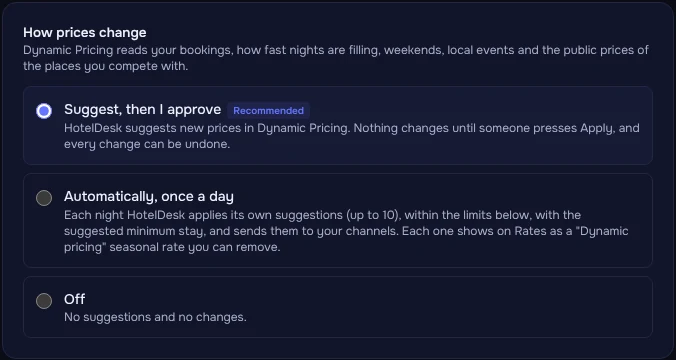
Suggest, automatic, or off
Suggest and approve is the default. Ask us to allow automatic and HotelDesk applies its own suggestions after each analysis, within your limits.
What you get
Everything a revenue manager would do, on every plan
Booking pace
Nights filling early go up before they sell out; quiet nights close to arrival come down.
Your real competitive set
Only places of your style inside your price range count: a dorm bed isn't up against a hotel room.
Review scores matter
Rated higher than the places around you? You can charge a little more and still be the better choice.
Local events
Festivals and holidays near you are found with each weekly check and priced in, with a minimum stay suggested.
Revenue manager
Its top changes each day with the expected extra revenue, approved in one click, plus tips for your OTA listings.
Your planned price as the base
Moves are measured from your own rates, never stacked on top of each other, and offered back when the reason has passed.
Limits you set
How far up, how far down, how quiet, how far ahead. Never a sold-out night, today or the past.
Approve all, Undo always
Approve one, or every suggestion shown, after an "Are you sure?". Undo takes any change back, minimum stay included.
Every channel at once
Through HotelDesk's channel manager: your booking site and every connected OTA get the same price.
HD Score
See how likely guests are to pick you over the places nearby, and the price that would move you up a place.
Questions
Does it change my prices by itself?
Only if you ask it to. The default is suggest and approve: nothing changes until someone presses Approve. Automatic mode, on request, applies its own suggestions after each weekly analysis, inside your limits, and every change can be undone.
Where do competitor prices come from?
Public pages only: Booking.com and Hostelworld listings, search results and the places' own websites. Nothing behind a login. Most listings show a usual "from" price; dated prices and sold-out nights are used where a page shows them.
How many competitors can I compare with?
Up to five per property, each checked once a week. No list yet? HotelDesk finds places like yours near your address. Need more than five? Ask us.
Which channels get the new price?
Your HotelDesk booking site and every OTA connected through HotelDesk's channel manager, at the same moment.
Is it only for hostels?
No. A hostel is compared with hostels, a hotel with hotels of a similar price, so the comparison is always with the places the same guests look at.
What does it cost?
Nothing extra. Dynamic Pricing is included on every HotelDesk plan.
Will it make my prices swing wildly?
No. Every move is measured from your own planned price and capped by the limits you set (by default never more than 30% above or 20% below), and it never touches a sold-out night.
Price every night like you had a revenue manager
Try it in the live demo hotel, or start your free trial and switch it on for your own property.